How Qwen Edit 2509 Generates Multi-Angle Views
Transform a single reference image into stunning multi-angle 3D camera views in seconds. Here's everything you need to know to get started with qwen-edit-2509-multiple-angles.
What This Tool Does
QwenEdit uses the qwen-edit-2509-multiple-angles model to generate novel views of any object or scene from different camera positions. It's powered by a LoRA fine-tuned on Qwen-Image-Edit-2509, trained on over 3,000 carefully curated images spanning diverse objects and scenes.
The model supports 96 distinct camera positions, giving you precise control over horizontal rotation, vertical elevation, and zoom level. Whether you need a slight angle change or a dramatic perspective shift, the AI synthesizes photorealistic views that maintain the identity and details of your original subject. All powered by the qwen-edit-2509-multiple-angles LoRA fine-tune.
This is ideal for product photography, character design, architectural visualization, and any workflow that requires seeing an object from multiple perspectives without a physical camera setup.
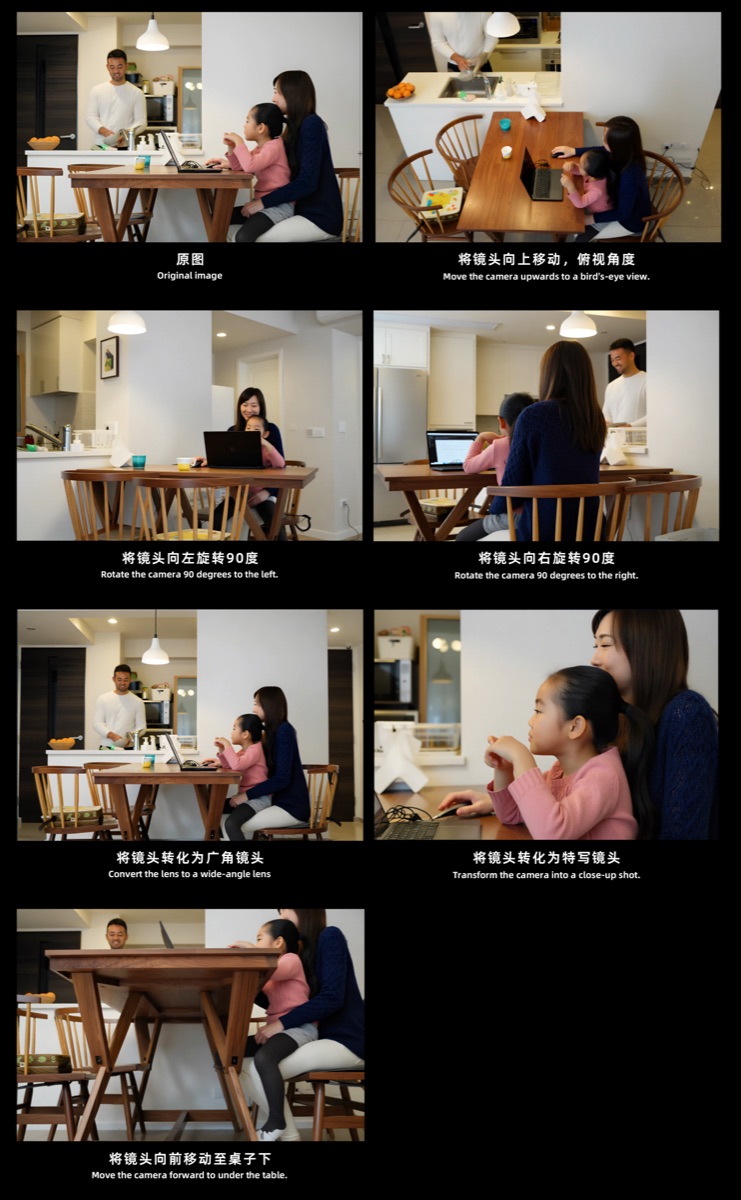
Multiple camera angles generated from a single reference image
Step-by-Step Guide
Upload Your Reference Image(s)
Upload 1-3 reference images of your subject. More reference images means more consistent output. Best results come from clean backgrounds and good lighting conditions.
Configure Camera Parameters
Set your desired camera position: horizontal rotation (-90° left to 90° right), vertical elevation (-30° low to 60° high), and zoom level (0 for close-up, 1 for medium, 2 for wide).
Generate Your Multi-Angle View
Click generate and wait a few seconds. Using qwen-edit-2509-multiple-angles, the AI synthesizes a completely new view of your subject, matching the exact camera position you specified.
Download & Use
Download your high-resolution results and use them in your projects — product listings, design presentations, 3D modeling references, and more.
Camera Control Reference
The model supports 96 unique camera positions across three axes. Here are the available parameter ranges.
| Parameter | Values |
|---|---|
| Rotation (Horizontal) | -90°-45°0°45°90° |
| Elevation (Vertical) | -30°0°30°60° |
| Zoom Level | 012 |
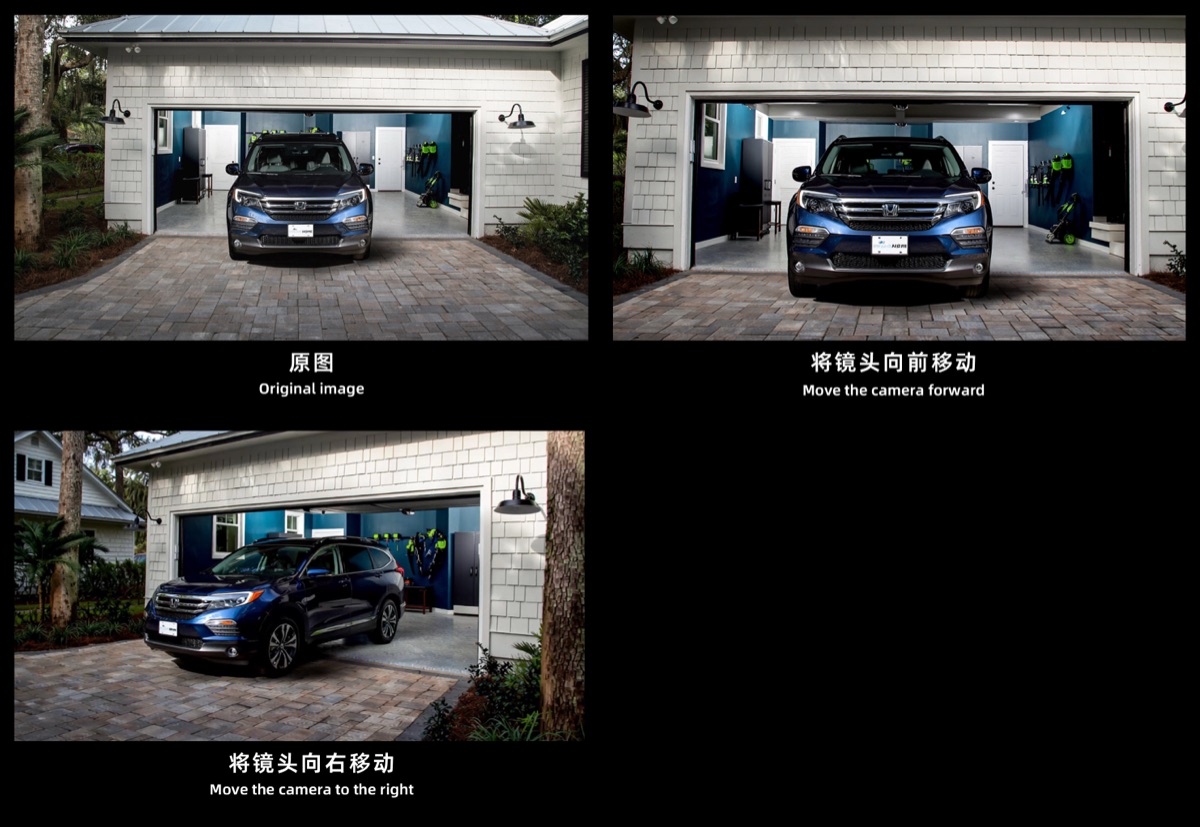
Camera movement demonstration: forward, right, and zoom views
Tips for Better Results
These tips apply specifically to qwen-edit-2509-multiple-angles and help you get the most accurate camera angle outputs. If you need the qwen-edit-2509-multiple-angles.safetensors weights for local use, visit the model page on HuggingFace.
Use high-quality source images with good resolution
Clean or simple backgrounds work best for clear results
Provide multiple reference angles when possible for consistency
Start with small rotation changes, then go wider
Objects with distinct 3D features produce more dramatic results